
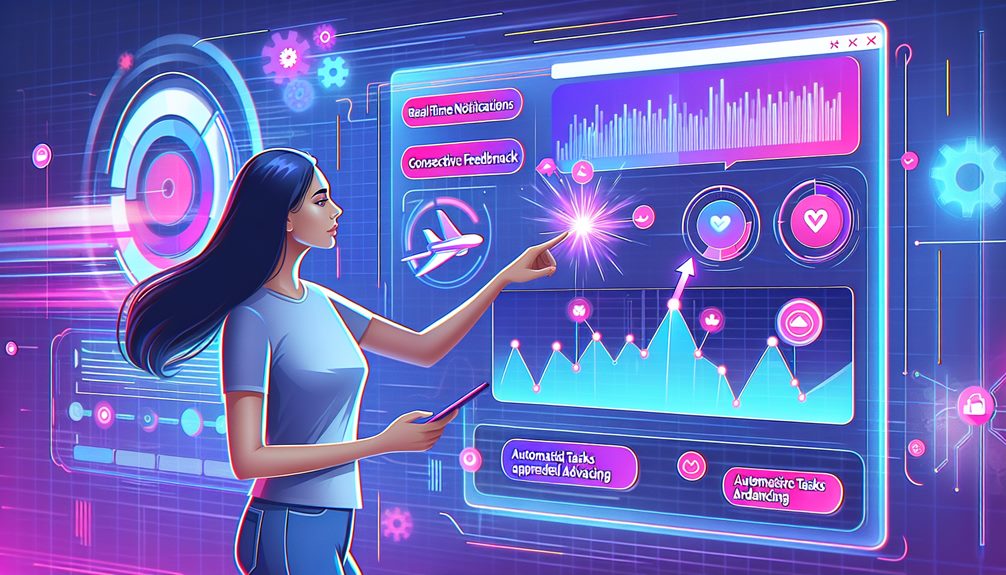
Enhancing user interaction in web automation relies heavily on real-time feedback. By providing immediate responses, users feel a greater sense of control and engagement, transforming passive interactions into dynamic experiences. Various feedback mechanisms, such as visual cues, notifications, and clear prompts, foster understanding and reduce confusion. This immediate communication not only improves user satisfaction but also helps identify pain points swiftly, leading to iterative improvements that benefit both users and providers. Ultimately, embracing real-time feedback can create more meaningful interactions and support a continuous loop of engagement. Exploring further reveals additional strategies and insights into optimizing user experiences.
Key Takeaways
- Implement immediate visual cues to guide users, reducing confusion and enhancing engagement in web automation processes.
- Utilize push notifications and contextual alerts to keep users informed without overwhelming them, fostering a sense of control.
- Design effective feedback mechanisms, including animations and auditory signals, to reinforce user actions and improve understanding.
- Create specific and clear prompts that encourage user participation while ensuring accessibility for all skill levels.
- Leverage analytics tools to track user engagement and gather insights, facilitating continuous improvement in interaction design.
Importance of Real-Time Feedback
Providing real-time feedback is essential in enhancing user interaction within web automations. This immediate response fosters a dynamic feedback loop that greatly boosts user engagement, ensuring that users feel valued and understood. By integrating responsive features into interaction design, developers can meet user expectations more effectively, creating an environment where users are empowered to navigate confidently.
The timing of these responses is critical; swift feedback not only clarifies communication but also reinforces user satisfaction. When users receive timely updates regarding their actions, they are less likely to experience confusion or frustration, which can detract from the overall experience. Furthermore, clear communication helps bridge the gap between user intent and system response, enhancing the intuitive nature of web automations.
Incorporating real-time feedback mechanisms allows users to engage actively with the interface, leading to a more satisfying and fulfilling interaction. As users become more adept at utilizing the system, their overall experience is enhanced, fostering a sense of mastery. Ultimately, prioritizing real-time feedback transforms user interactions from passive to dynamic, greatly contributing to the success of web automation initiatives.
Benefits for User Experience
Real-time feedback not only enhances user interaction but also greatly improves the overall user experience in web automations. By fostering immediate feedback loops, users can feel a greater sense of control and understanding throughout their journey. This responsiveness directly contributes to heightened user satisfaction, as individuals recognize that their inputs are valued and acknowledged.
Integrating real-time feedback into interaction design allows for more effective usability testing. This approach not only identifies pain points swiftly but also facilitates experience optimization, ensuring that users receive tailored interactions that resonate with their needs. Enhanced emotional responses arise when users feel engaged; such engagement metrics consistently indicate higher levels of user retention.
Moreover, the ability to adjust and refine experiences in real time allows developers to create environments that are not only functional but also enjoyable. As users interact with web automations, their continuous feedback shapes future iterations, leading to a cycle of improvement that benefits both the user and the provider. Ultimately, prioritizing real-time feedback transforms static interactions into dynamic experiences, greatly enriching the overall user journey while fostering loyalty and advocacy.
Types of Real-Time Feedback
Real-time feedback is essential for fostering a seamless user experience in web automations. By incorporating visual cues and indicators, as well as timely notifications and alerts, users can navigate interactions with confidence and clarity. Understanding the different types of feedback not only enhances usability but also empowers users to feel more in control of their actions.
Visual Cues and Indicators
Effective user interaction in web automations often hinges on the strategic use of visual cues and indicators, which play an essential role in guiding users through processes. These visual feedback mechanisms enhance user engagement by providing immediate, intuitive responses to user actions, such as hovering over interactive elements or completing a task. When designed thoughtfully, these cues not only adhere to established design principles but also create robust feedback loops that help users navigate seamlessly.
Usability testing reveals that well-crafted visual cues can greatly reduce cognitive load, allowing users to focus on their objectives rather than deciphering complex interfaces. Incorporating aesthetic appeal alongside functionality guarantees that the experience remains enjoyable and accessible. In addition, integrating accessibility features can broaden the reach of these visual cues, making them effective for all users, including those with disabilities.
Optimizing response time is also vital; users should receive immediate visual indicators that confirm their actions, fostering a sense of control and satisfaction. By prioritizing these elements, developers can create web automations that resonate with users, ultimately leading to a more effective and engaging experience.
Notifications and Alerts
Building on the importance of visual cues, notifications and alerts serve as essential components in enhancing user interaction within web automations. These elements create crucial feedback loops that empower users to stay informed and engaged. Push notifications, for instance, deliver timely updates directly to the user, while alert sounds can subtly indicate urgency without being intrusive.
To maximize effectiveness, notification design must prioritize user preferences and contextual relevance. By employing urgency indicators, users can swiftly discern the significance of each alert, ensuring that critical information isn't overlooked. Thoughtful notification timing further enhances user experience, preventing overwhelming users with excessive alerts.
Visual alerts, coupled with alert customization options, allow users to tailor their interaction according to personal needs and workflows. This level of personalization fosters a sense of control and satisfaction, essential for mastering web automation tools. Contextual alerts, which provide relevant information based on user actions, can greatly enhance engagement and efficiency.
Incorporating these strategies enables a user-centered approach that not only informs but also resonates with users, ultimately leading to a seamless and empowering web automation experience.
Implementing Feedback Mechanisms
Implementing effective feedback mechanisms is essential for creating a seamless user experience in web automation. By understanding the various types of feedback and their real-time interaction benefits, we can design prompts that resonate with users and enhance their engagement. This approach not only fosters a more intuitive interface but also empowers users to feel more in control of their interactions.
Types of Feedback Mechanisms
When traversing the complexities of web automation, understanding the various types of feedback mechanisms is essential for enhancing user interaction. Feedback loops play a pivotal role in fostering user engagement, ensuring that users feel connected and informed throughout their journey. By implementing diverse feedback mechanisms, you not only guide users but also empower them to make informed decisions.
Consider incorporating the following types of feedback mechanisms:
- Visual Feedback: Utilize animations, color changes, or progress indicators to provide immediate visual responses to user actions, reinforcing their decisions.
- Auditory Feedback: Incorporate sound cues for specific actions or alerts, creating an additional layer of interaction that caters to auditory learners and enhances the experience.
- Textual Feedback: Use clear, concise messages to inform users about the outcomes of their actions, ensuring they understand what to expect next.
Real-Time Interaction Benefits
How can real-time interaction transform user experiences in web automation? By integrating responsive interfaces and feedback loops, we can greatly enhance user engagement and satisfaction. This immediate feedback allows users to understand their actions, fostering a sense of control and empowerment within the automation process.
Effective interaction design is pivotal; it creates a seamless experience that not only meets user needs but anticipates them. When users receive timely responses, they feel valued, leading to increased user retention. In addition, by capturing data-driven insights from these interactions, organizations can continuously enhance their offerings, ensuring that the user experience evolves alongside their expectations.
Real-time interaction benefits extend beyond immediate gratification; they lay the groundwork for ongoing user satisfaction and loyalty. As feedback mechanisms are refined, they facilitate a culture of continuous improvement, allowing businesses to adapt swiftly to user preferences. Ultimately, prioritizing real-time interaction in web automation cultivates a more engaging experience that resonates with users, driving them to return while also attracting new audiences. In this dynamic environment, the focus shifts from mere functionality to meaningful interactions that foster lasting relationships.
Designing Effective Prompts
Effective prompts serve as the cornerstone of user engagement in web automation, guiding users through complex processes with clarity and precision. A well-designed prompt not only conveys essential information but also fosters an intuitive interaction that encourages users to participate fully. To achieve prompt clarity, it is crucial to evaluate the user's perspective and potential challenges they may face.
- Be specific: Clearly outline what action is required from the user to minimize confusion.
- Use simple language: Avoid jargon and technical terms that could alienate users, ensuring accessibility for all skill levels.
- Provide context: Explain why the user is being prompted and how their input contributes to the overall task.
Tools and Technologies
The landscape of web automation is enriched by a diverse array of tools and technologies designed to enhance user interaction. Feedback tools, such as real-time chatbots and surveys, play an essential role in gathering insights that inform the interaction design process. By prioritizing user engagement, these technologies foster an environment where users feel heard and valued, ultimately leading to improved satisfaction.
Automation technologies must be seamlessly integrated with analytics integration to track performance metrics effectively. This enables developers to assess usability testing outcomes and refine the user experience continually. Additionally, system responsiveness is critical; users expect immediate feedback during their interactions, which can be achieved through advanced automation solutions.
As you explore these tools, consider how each can be tailored to meet specific user needs and enhance the overall experience. The goal is to create a harmonious balance between technology and human interaction, ensuring that users are not just passive observers but active participants in their journey. By leveraging the right combination of feedback tools and automation technologies, you can elevate user engagement and create a more intuitive, user-centered digital environment.
Case Studies and Examples
Incorporating real-world examples provides valuable insights into how various tools and technologies can greatly enhance user interaction in web automation. By analyzing these case studies, we can uncover effective engagement strategies that resonate with user behavior and satisfaction.
- E-commerce Platforms: Utilizing predictive analytics, companies have implemented real-time feedback loops that recommend products based on user insights, markedly increasing conversion rates.
- Customer Support Systems: Advanced interaction design in chatbots allows for rapid response times, leading to higher user satisfaction as customers receive immediate assistance and personalized solutions.
- Content Management Systems: Data visualization tools within these platforms highlight user engagement metrics, enabling administrators to adapt and refine their strategies based on real-time user behavior.
These examples illustrate how automation efficiency is heightened by integrating feedback mechanisms that prioritize user needs. By focusing on real-time responses and visual data representation, organizations can create a seamless experience that fosters trust and loyalty. In this evolving landscape, understanding user insights is vital for developing interactions that not only meet but exceed expectations.
Best Practices for Engagement
How can organizations guarantee that user engagement remains a priority in web automation? The foundation lies in employing robust engagement strategies that prioritize user motivation and satisfaction. By integrating effective feedback loops, organizations can capture real-time insights into user experiences, enabling continuous improvement of their automation processes.
Interaction design is essential in crafting intuitive user interfaces that resonate with users' needs and preferences. Understanding behavioral insights allows organizations to tailor experiences, ensuring that each interaction is meaningful and fosters a sense of connection. Additionally, attention to response timing enhances the overall user experience, demonstrating that their inputs are valued and acknowledged promptly.
Organizations should also promote a culture of ongoing learning and adaptation, utilizing data collected from user interactions to refine engagement tactics continually. This approach not only reinforces user satisfaction but also empowers users by making them active participants in the evolution of automation tools.
Ultimately, prioritizing user engagement in web automation requires a commitment to empathy and responsiveness, ensuring that users feel understood and supported at every step of their journey. By embracing these best practices, organizations can cultivate lasting relationships with their users, driving both loyalty and success.
Frequently Asked Questions
How Can I Measure the Effectiveness of Real-Time Feedback?
To measure the effectiveness of real-time feedback, focus on established feedback metrics such as response time, user engagement rates, and satisfaction scores. Analyzing these metrics allows you to gauge how well the feedback resonates with users and influences their interactions. Additionally, conducting user surveys can provide deeper insights into their experiences. Prioritizing an empathetic approach guarantees that feedback mechanisms are intuitive, ultimately fostering a user-centered environment that enhances mastery and engagement.
What Industries Benefit Most From Real-Time Feedback in Web Automation?
In the domain of commerce, where every interaction is akin to a delicate dance, industries such as e-commerce optimization and customer support flourish under the guidance of real-time feedback. These sectors thrive on immediate insights, allowing businesses to adapt swiftly to customer needs, enhance user experience, and foster loyalty. By embracing this dynamic approach, organizations can master the art of engagement, transforming each customer interaction into an opportunity for growth and connection.
Are There Any Drawbacks to Using Real-Time Feedback?
While real-time feedback can greatly enhance user experience, it is not without drawbacks. Users may encounter feedback overload, leading to confusion and diminished focus on tasks. Furthermore, constant notifications can induce user anxiety, detracting from the overall efficiency of web automation. It is essential to strike a balance, ensuring that feedback is timely and relevant, without overwhelming users. A thoughtful approach can foster mastery while maintaining a supportive and intuitive environment.
How Does Real-Time Feedback Impact User Retention Rates?
Real-time feedback markedly impacts user retention rates by fostering user engagement and creating effective feedback loops. For instance, a hypothetical e-learning platform implementing instant quizzes and progress tracking observed a 30% increase in user retention. This intuitive approach allows users to receive immediate insights into their performance, enhancing their learning experience and encouraging them to return. By prioritizing user-centered design, businesses can cultivate loyalty and satisfaction, ultimately driving sustained engagement and success.
Can Real-Time Feedback Be Integrated With Existing Systems Easily?
Integrating real-time feedback into existing systems presents several integration challenges, particularly concerning compatibility and data synchronization. However, when approached thoughtfully, these hurdles can be overcome to greatly enhance user experience. Adopting user-centered design principles and leveraging intuitive interfaces can facilitate smooth integration, ensuring that users not only receive timely feedback but also engage with the system more effectively. Ultimately, a seamless integration fosters greater user satisfaction and promotes long-term adoption.